
Subfolders
Automatic Subfolders For More Specific Notes
A folder is sometimes too broad. A.N.T. can organize the note deeper so the context is still useful later.
The outcome
Keep related notes together without flattening everything into one folder.
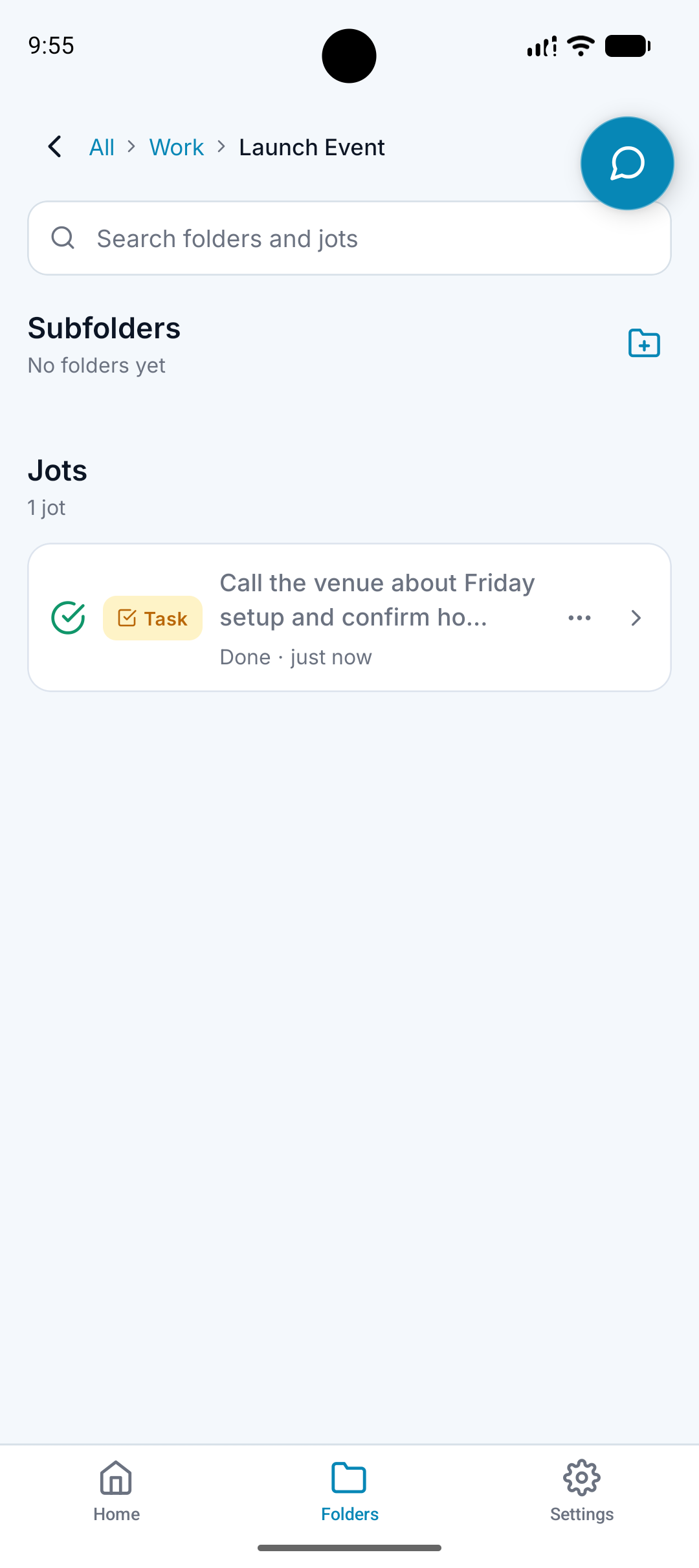
What it does
Uses nested folders when a note has a clear subtopic.
Places related lists, tasks, and notes inside the same context.
Supports structures like Work / Client, Travel / Trip, or Content / Short Form.
Keeps the folder path visible.
Why it matters
A single Work folder can become just as messy as a single Notes folder.
Subfolders help people browse by real life context.
Granular organization makes search and review more reliable.
How it works
Step 1
Use existing patterns
A.N.T. looks at how your folders are already arranged.
Step 2
Choose the right depth
If a broad folder is enough, it uses that. If a subfolder is clearer, it files more specifically.
Step 3
Keep related outputs together
A task, list, and note from the same thought can stay in the same folder path.
Subfolder example
"Idea for Flowwise content. Make a short video about how A.N.T. organizes messy voice notes."
A.N.T. creates:
- Files under Business / Flowwise / Content Ideas.
- Creates or uses a Short Form subfolder.
- Keeps the video idea connected to the right business context.
Questions this feature answers
Will A.N.T. always create a new subfolder?
No. It can use existing folders when they fit. New or more specific structure should happen only when it helps.
Why are subfolders useful for AI search?
Folder paths give both you and the retrieval system extra context about what a note means.
Related features
Your personal AI memory assistant
Capture it now.
Find it when you need it.
AI voice notes that organize themselves. Speak a thought, task, reminder, or meeting — A.N.T. AI files it where you'll actually find it later.


iOS & Android