Meetings
Meeting Notes With Decisions And Follow-Ups
A.N.T. helps meetings become useful after they end by separating the pieces you need to act on.
The outcome
Keep the conversation, but organize the work that came from it.
What it does
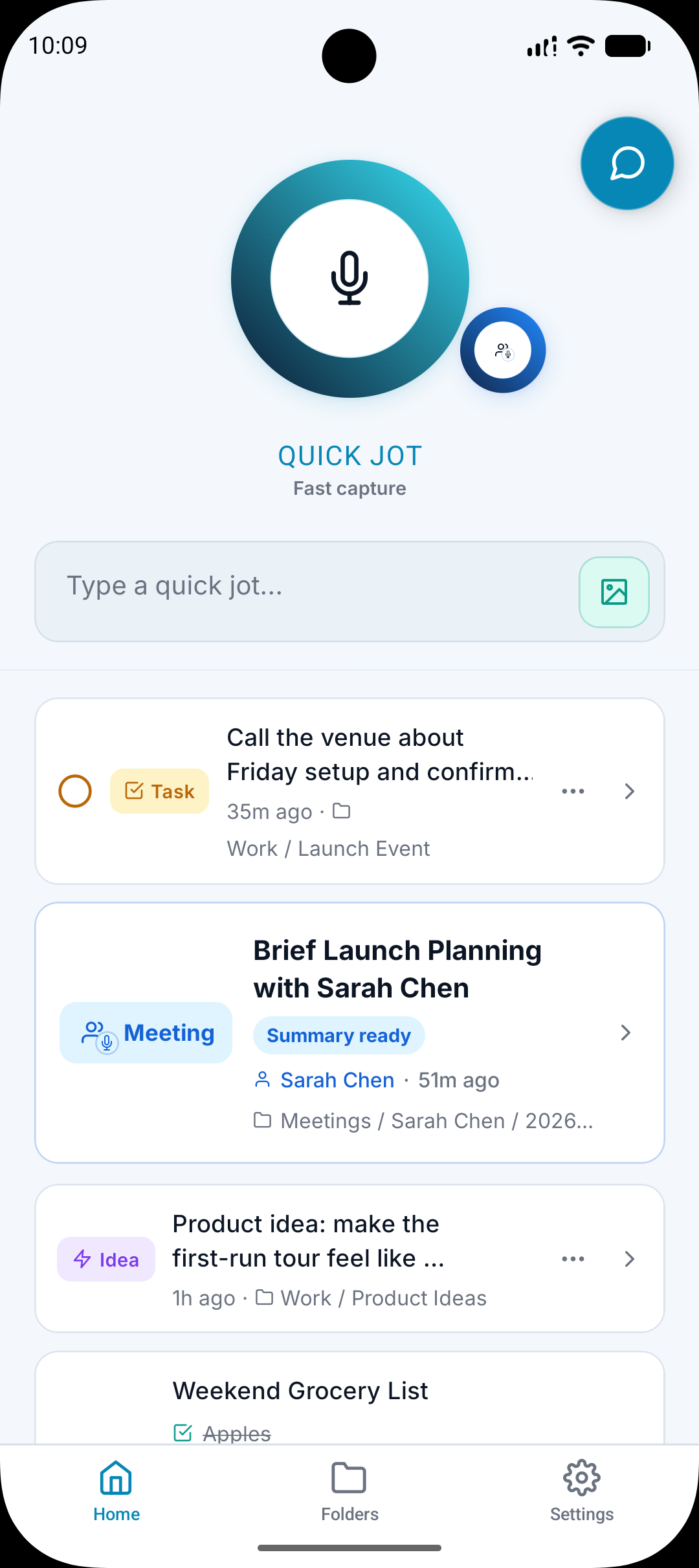
Records longer conversations and meetings.
Transcribes the meeting into text.
Pulls out key points, decisions, tasks, and follow-ups.
Files the meeting and related outputs into useful folders.
Why it matters
A meeting summary still forces you to find the actual next steps.
Useful information often belongs in different places after one meeting.
A.N.T. is built to organize the meeting, not just compress it.
How it works
Step 1
Record the meeting
Capture the conversation when you need a usable record.
Step 2
Separate the useful parts
A.N.T. identifies notes, decisions, tasks, ideas, and follow-ups.
Step 3
File the outputs
The meeting stays connected to source material while useful pieces become easier to find.
Meeting example
"We agreed to update the app store screenshots, follow up with the client Friday, and save the new positioning idea."
A.N.T. creates:
- Creates a meeting note with the summary.
- Creates a task for the Friday follow-up.
- Files the positioning idea into Content Ideas or Product Marketing.
Questions this feature answers
Is A.N.T. only for meetings?
No. Meetings are supported, but A.N.T. is also built for quick thoughts, lists, reminders, ideas, and everyday capture.
Does A.N.T. keep the transcript?
Where supported, A.N.T. keeps the transcript and original source available so the organized version can be checked.
Related features
Your personal AI memory assistant
Capture it now.
Find it when you need it.
AI voice notes that organize themselves. Speak a thought, task, reminder, or meeting — A.N.T. AI files it where you'll actually find it later.


iOS & Android