
Voice notes
Voice Notes That Organize Themselves
Speak naturally, even when the thought is messy. A.N.T. turns the recording into a note you can read, browse, and find later.
The outcome
Capture the thought first. Let A.N.T. handle the structure afterward.
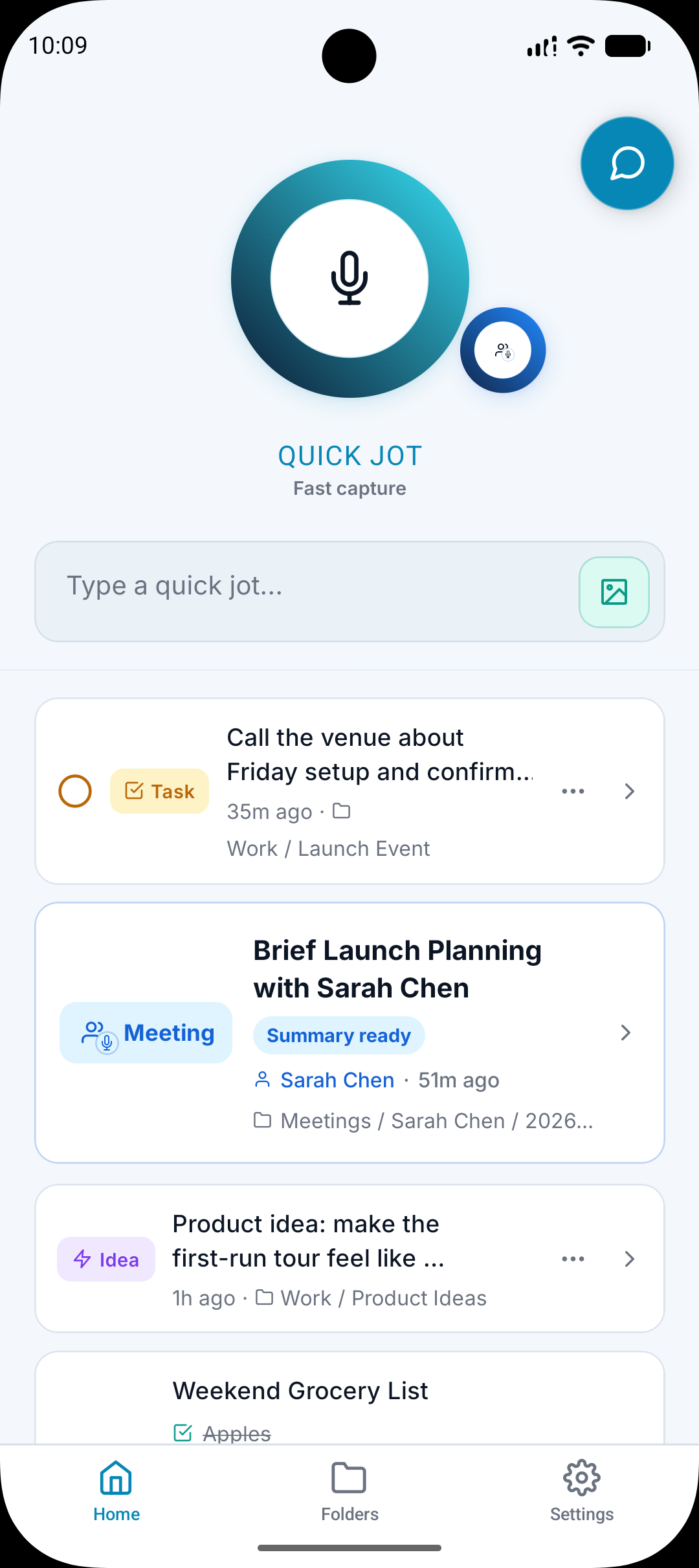
What it does
Records short voice notes from your phone.
Transcribes the audio into readable text.
Creates a clean title from what you said.
Files the note into the folder that matches the meaning of the note.
Why it matters
The best ideas often show up while you are already doing something else.
Typing a perfect note can slow you down enough to lose the point.
A voice note is only useful later if it becomes organized after capture.
How it works
Step 1
Record the thought
Open A.N.T., tap the mic, and say the thought in normal language.
Step 2
A.N.T. cleans it up
The transcript is turned into a readable note without losing the original meaning.
Step 3
The note gets filed
A.N.T. chooses a folder or subfolder based on the content and your existing structure.
Voice note example
"Idea for short form content. Show how one messy voice note becomes a list, a task, and a note in the content folder."
A.N.T. creates:
- Creates a note called Short Form Content Idea.
- Files it under Content Ideas.
- Pulls out a task to record the video.
Questions this feature answers
Is A.N.T. only for voice notes?
No. Voice notes are one of the fastest ways to capture, but A.N.T. also supports typed notes, meetings, and uploaded audio.
Does A.N.T. replace the original recording?
No. Where supported, the original recording and transcript stay available through View Source.
Related features
Your personal AI memory assistant
Capture it now.
Find it when you need it.
AI voice notes that organize themselves. Speak a thought, task, reminder, or meeting — A.N.T. AI files it where you'll actually find it later.


iOS & Android